
Our Project
This project provides an interactive map of the downtown Northfield area. It includes colorized photos of select buildings in the area and two 3D model recreations. Users can click points of interest on the map to view the photos and related information, as well as explore by manipulating their perspective of the map. The 3D models are included to scale on the map and on their own separate page which can be found in the navigation bar.
The goal of Historical Northfield Buildings is to showcase these buildings as they were before their modern appearance. We hoped to gain insights to the lifestyles of Northfield in the past and how they differ from today. We also wanted to provide a new way to experience the buildings via the 3D models.
Creating the Interactive Map
3D Models
The 3D models in this project were created using historical images of Northfield buildings. These images served as the primary reference for recreating how the buildings appeared in the past. Using Fusion 360, we converted 2D photographs into 3D models, carefully shaping their structure and details. However, since we only had images from a single angle, some features may not be entirely accurate. Despite this, we closely examined the photos to ensure the models reflected the original buildings as accurately as possible.
Additionally, the colors in the models may not be completely precise. We used AI colorization, which means some colors are based on approximations rather than exact historical references.
For this project, we selected two significant Northfield buildings:
The Northfield Public Library
The Northfield Public Library, originally called the Carnegie Library, was built in 1910, with a big addition added in 1985. The library was renovated between 2015 and 2016. We chose this building because it’s an important place in Northfield, and we found a clear image of the building.
To create the 3D model, we used Fusion 360 and Google Earth. First, we measured the building using Google Earth, then we started building the model based on the old photo. We carefully selected materials and checked the current building in Google Earth to make sure our model was as accurate as possible. This helped us create a model that shows what the library looked like in the past.
The Armory Square Building
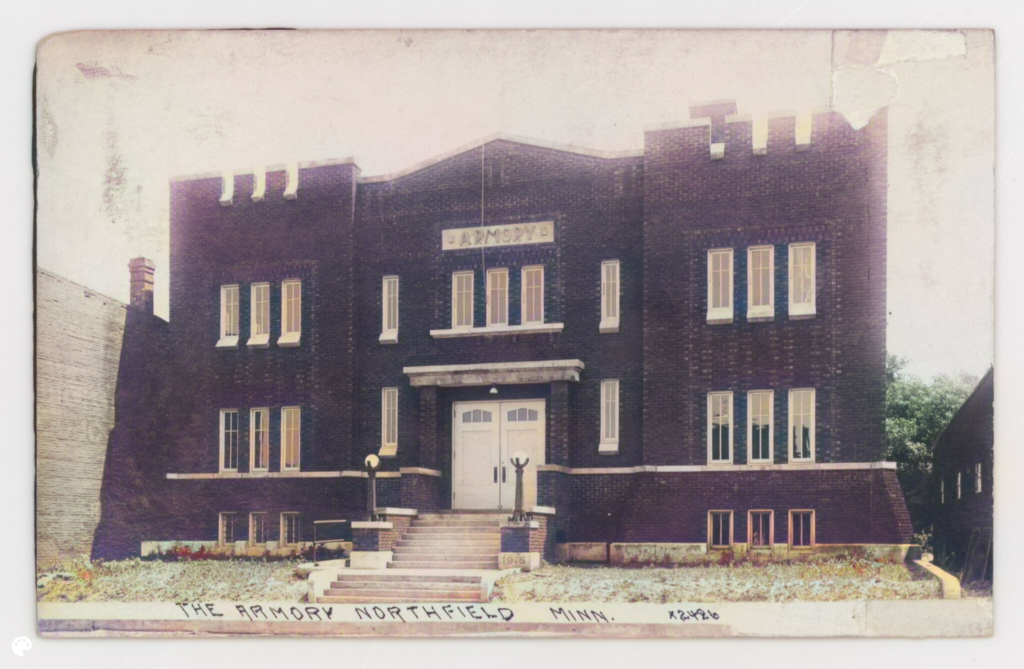
The Northfield Armory was built in 1915 and served as an active National Guard armory until it was decommissioned in 2016. We chose this building because of its unique and noticeable appearance in Northfield.
For this building, we followed the same process as we did for the library. To create the 3D model, we used Fusion 360 and Google Earth. First, we measured the building using Google Earth, then began building the model based on the old photo. We carefully chose materials and compared the current building in Google Earth to make sure our model was as accurate as possible. This helped us recreate the building as it looked in the past.
We noticed that the building hadn’t changed much over the years, except for small details, which made the modeling process easier. The most challenging part was creating the brick texture in Fusion 360, but we were able to find and download different textures to achieve the look we wanted.
DeOldify Image Colorizer
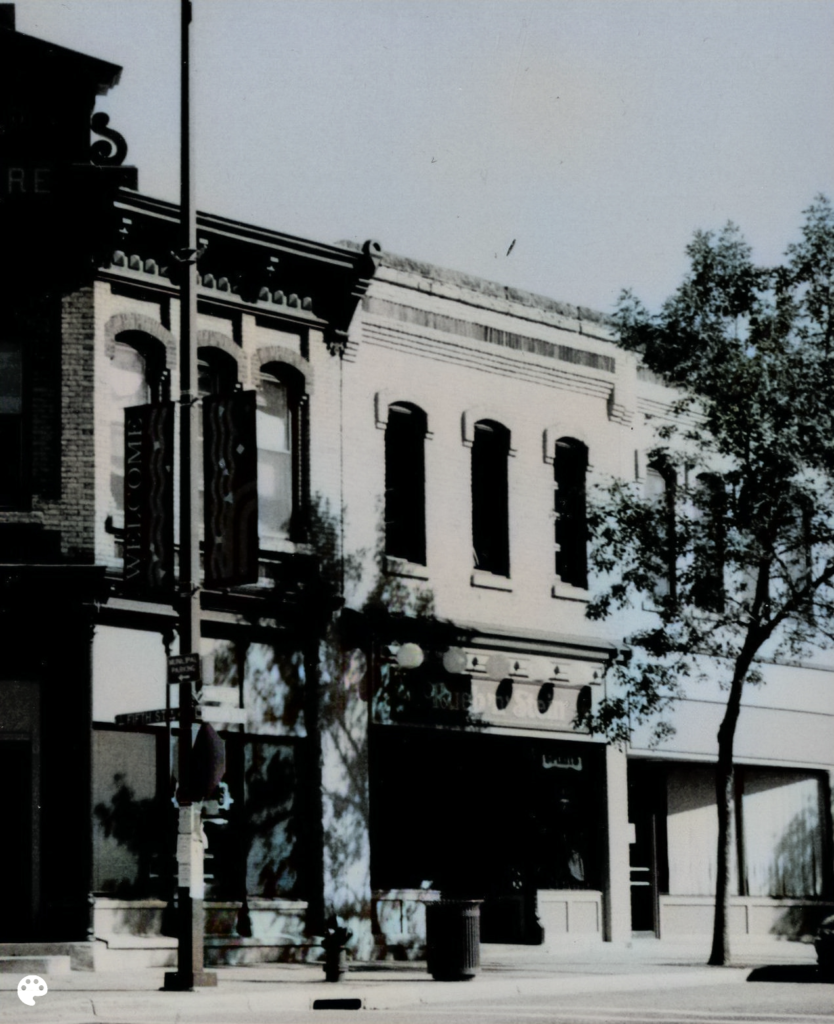
For this project, we used DeOldify to bring color to the old black-and-white photos of the buildings. This was a key part of our process because it allowed us to compare the colorized images with the original photos and the current appearance of the buildings. This comparison was especially helpful for creating the 3D models, as it provided us with a clearer understanding of how the buildings looked in the past.
The results weren’t completely accurate, but they still offer an interesting and enjoyable visual experience. Even though the colorized images might not perfectly show the true colors of the buildings from the past, they give a fresh view that is fun to explore. It’s exciting to see the buildings in color, even if it’s not exact, as it helps us imagine what they might have looked like back then.


Original

Colorized
Once the images were colorized, we added both the colorized and original versions to our interactive map. This feature enables users to view and compare both versions of the buildings, offering them a chance to see how the buildings have changed over time. It helps users gain a deeper understanding of the history and evolution of these structures.

ArcGIS
While creating all the other components of the project, we also worked on a data CSV file that held all information related to the historical buildings we were interested in investigating. Information variables included were items like: Longitude, Latitude, Old Building Name, Modern location name, Old Location Name, Street Address, etc. In this file, we also included links to our original and colorized photos. This CSV file was imported into ArcGIS Online to map the specific building locations and provide complementary information in the pop-ups.

Finally, we imported the 3D models into the map. To do so, we had to export our ArcGIS Online webmap into the ArcGIS desktop version and transform it into a 3D map. We then exported our 3D models as OBJ files and imported them into the 3D map and placed them in the correct locations and orientation. The textures on the 3D models were lost, but the details of the models were still intact.
This finished map was then uploaded again into ArCGIS Online as a webscene and exported as an instant app for interactiveness.

We also imported 3 georeferenced base map layers to show the progression of Northfield’s development. 2 of these base maps were directly taken from Carleton College’s existing database of georeferenced maps completed by Wei Hsin Fu. We georeferenced a map of Northfield, Rice County, Minnesota Territory, found through the Minnesota Digital Library using AllMaps Editor. We then imported the XYZ tile link from AllMaps Editor into ArcGIS Online to create the base layer.
The next step was to clean up and adjust the symbolization of the pop-ups. This was done by toggling through the pop-up and symbolization function in ArcGIS Online.

Our Team

John Hurtubise
Esther Yun
Osareme Davis
Jennifer Wen
Fenan Gudina